An IT infrastructure that is robust and reliable plays an important role in any organization. From a small firm to an expanding online shop, from a business application to a remote workforce, having a reliable server infrastructure can definitely be of great importance. Here comes the advantage of using a Windows VPS for business.
In Windows VPS hosting, businesses get a virtual server where they have dedicated resources. The virtual private server includes the advantages of both dedicated servers hosting India and virtualization. As the name suggests, this is a Windows OS-based server where organizations can use all Windows-based software.
The list of what can be done through a Windows VPS includes, but is not limited to, hosting websites and applications, running remote desktops and databases, accounting software, and others.
What Is a Windows VPS?
Cheap VPS hosting is a virtual machine running on a physical server. Using virtualization technology, a web hosting service will take a single powerful physical server and separate it into several isolated virtual servers that have their own operating system, number of CPU cores, RAM, storage space, and IP address.
As for Windows VPS hosting india, it just means that a Windows Server version (e.g., Windows Server 2019/2022) is installed and runs on the virtual machine instead of Linux VPS hosting. Users get root-level access, which means that they can install any software or applications, change the system settings, manage users, and do whatever they want, just as if it were a physical server running Windows OS.
Moreover, all resources of the virtual machine are dedicated and not shared randomly by different customers; hence, the performance is stable even in peak traffic moments.
Why Businesses Choose Windows VPS Over Other Hosting Options
Businesses generally compare three main hosting options: shared hosting, VPS hosting, and dedicated servers. A Windows VPS India provides a balance of affordability, performance, flexibility, and control, making it a practical choice for growing businesses.
Compared to Shared Hosting
- Better resource allocation: The Windows VPS ensures dedicated virtual CPU, RAM, disk space, and bandwidth allocation rather than sharing resources among other accounts.
- Better performance consistency: This means fewer chances for the effects of other users overusing the server resources.
- Better control: Users have control over the server configuration, installation of Windows-compatible software, and customization according to needs.
- Better flexibility: There are certain Windows applications and workloads that cannot be managed by using shared hosting.
- Remote desktop access: Windows server remote access can be gained using RDP from wherever one wants to connect.
- Scalability: As business web applications or website size increases, the VPS resources can be increased accordingly.
Compared to Dedicated Servers
- Reduced cost: The best VPS hosting India is usually cheaper than renting the whole physical server since the hardware provides support for several virtual machines.
- Better utilization of resources: The organization pays for the amount of virtual resources needed and not the whole physical machine.
- Upgradability: The CPU, RAM, and other resources can be upgraded depending on the changes in the needs of the organization.
- Fast deployment: The VPS environments can be deployed faster than buying, configuring, and deploying the physical servers.
- Ideal for growing organizations: Smaller companies that are growing can utilize a private Windows environment without having to make a bigger investment for this infrastructure.
- Good administrative control: The organization can manage the VPS environment, installing and configuring the software and controlling users’ access.
The Sweet Spot
A Windows VPS can be considered the middle ground between shared hosting and dedicated servers because it combines useful features from both options.
- Cost-efficient: Less expensive compared to dedicated server maintenance for most workloads.
- Isolated environment: Offers an isolated virtual server rather than running business applications within a shared hosting environment.
- Customizable: The Windows environment can be configured according to requirements, along with the installation of compatible applications.
- Scalable: Capacity is often upgradeable in case of increased workloads of businesses.
- Remote access: Remote access to the server is possible through the use of RDP.
- Windows workloads: This server hosting service is suitable for websites, databases, business applications, remote desktops, development environments, etc.
- Flexible in capacity: Businesses can begin with the needed resources and scale up as per business expansion needs.
Benefits of Windows VPS for Business
1. Dedicated Virtual Resources
It gives a dedicated amount of CPU, memory, disk space, and bandwidth for business tasks. It is unlike shared hosting since resources are dedicated in your virtual environment, and it may result in better performance consistency. It makes VPS a good option for websites, databases, applications for business, remote desktops, and many other resource-demanding tasks.
2. Cost-Effective Infrastructure
The Windows VPS offers a company private server with a Windows environment without any need to buy dedicated server hardware. The company can choose the required amount of resources and save money on maintenance, electricity, cooling, and other expenses related to hardware infrastructure. It makes VPS hosting reseller a convenient option for startups and small and developing companies.
3. Remote Accessibility
The Windows VPS allows users and employees to access the server remotely through RDP (Remote Desktop Protocol). They have the ability to connect to business applications, files, and other resources. It is useful for businesses with remote or hybrid teams since the employees have a central Windows environment to work from without relying only on local computers.
4. Windows Compatibility
Businesses that already use Windows-based software can benefit from a familiar operating system environment. A Windows VPS can support compatible accounting software, CRM applications, databases, business tools, and development applications. This allows businesses to maintain existing Windows-based workflows while gaining greater control over their server environment.
5. Scalability
The workloads of a business can grow as its operations grow. An increasing number of customers, employees, web visitors, applications, and data can put increased strain on resources. It is possible for a Windows VPS to allow businesses the ability to expand resources like CPU, RAM, disk space, and bandwidth, depending on the hosting provider. In this way, businesses can scale the server capacity without having to invest in a physical dedicated server straightaway.
6. Greater Administrative Control
The Windows VPS offers significantly increased control compared to shared hosting. Depending on the hosting package, businesses will have options for installing compatible software, managing user accounts, configuring server settings, and customizing the Windows environment. In this way, businesses can create a server configuration tailored specifically to meet their own business and application needs.
7. Improved Isolation
The Windows VPS runs in a virtual isolated environment, separating the business applications and allotted resources from other VPS users on the same physical server. There is increased control over configurations, permissions, applications, and security settings for the server. Businesses can set up the appropriate firewalls, access restrictions, updates, and other security measures to protect their server environment.
8. Reliable Availability
Reliable availability is important for business websites, applications, and remote working environments. Windows VPS service providers usually run servers in data centers that provide reliable electricity, network connectivity, hardware monitoring, and infrastructure management services. Before choosing the best Windows VPS provider, businesses must look into uptime guarantees, backup services, disaster recovery capabilities, and technical support.
Common Business Use Cases for Windows VPS
Hosting Business Websites and Web Applications
A large number of companies have opted to host their corporate websites and web applications on a Windows VPS. This is because the dedicated infrastructure guarantees quick page load times, which help to improve the ranking in the search engines.
Running Custom or Legacy Windows Software
Some companies rely on custom-made or legacy Windows applications that do not have an alternative in a cloud platform. Such applications are executed from a Windows VPS, thus eliminating the need to port them over to other platforms at additional costs.
Remote Desktop and Virtual Workstations
A Windows VPS may be used as a remote workstation where users can connect through RDP and share files, license software, and other resources. This eliminates the need for expensive workstations, as users can access all the required resources from the server.
Database Hosting
Microsoft SQL Server is a common requirement for business applications, and a Windows VPS provides a dedicated, secure environment to host and manage databases with the performance guarantees that shared environments can’t offer.
Software Testing and Development
Development teams frequently use Windows VPS provider instances as isolated sandboxes for testing applications in a Windows environment before deploying to production, without risking their local machines or production servers.
Email and Communication Servers
Some businesses configure a Windows VPS to run mail servers or communication platforms, benefiting from dedicated IP addresses that help maintain sender reputation and email deliverability.
E-commerce Platforms
Online stores that rely on Windows-based e-commerce frameworks benefit from a VPS’s consistent performance during traffic surges such as holiday sales or promotional campaigns without the unpredictability of shared hosting.
VPN and Proxy Hosting
Companies increasingly use Windows VPS instances to run private VPN servers, giving remote employees a secure, encrypted connection back into company resources.
Important Features of a Windows VPS for Business
When comparing Affordable Windows VPS solutions, businesses should look beyond the advertised price. The underlying features can have a significant impact on performance and reliability.
CPU
CPU resources determine how effectively a server can process applications and workloads.
Businesses running databases, multiple applications, or resource-intensive software may require more CPU capacity than businesses running simple websites.
RAM
RAM is important for applications that process large amounts of data or support multiple users.
Insufficient RAM can result in slower application performance and reduced responsiveness. Businesses should select RAM based on their actual workload rather than choosing a plan solely because it is inexpensive.
SSD or NVMe Storage
Storage affects both capacity and performance.
SSD storage generally provides faster access than traditional hard disk drives, while NVMe storage can offer even higher storage performance on compatible infrastructure.
For databases, applications, and frequently accessed files, fast storage can contribute to a more responsive environment.
Network Connectivity
A reliable network connection is essential for remote employees, applications, websites, and other business services.
Businesses should consider available bandwidth, network quality, data center location, and latency when choosing a Windows VPS.
Windows Operating System
A Windows VPS hosting should provide a supported Windows Server environment suitable for the intended workload.
Businesses should also consider operating system licensing, update management, and compatibility with their applications.
Backup Options
Backups are an important part of business continuity.
A VPS provider may offer automated backups, snapshots, or additional backup services. Businesses should understand how frequently backups are created, how long they are retained, and how restoration works.
A backup is only useful if it can be restored successfully, so businesses should periodically test their recovery procedures.
Security Features
Security should be a priority for any business server.
Important considerations include:
- Firewall configuration
- Strong administrator passwords
- Multi-factor authentication where supported
- Regular Windows updates
- User access controls
- Malware protection
- Secure RDP configuration
- Monitoring and logging
- Regular backups
Businesses should avoid exposing unnecessary services to the public internet.
Administrator Access
Administrator access provides greater flexibility for businesses that need to install applications or modify server settings.
However, administrator access also creates responsibility. Only authorized users should have administrative privileges, and access should be reviewed regularly.
Windows VPS vs. Linux Server
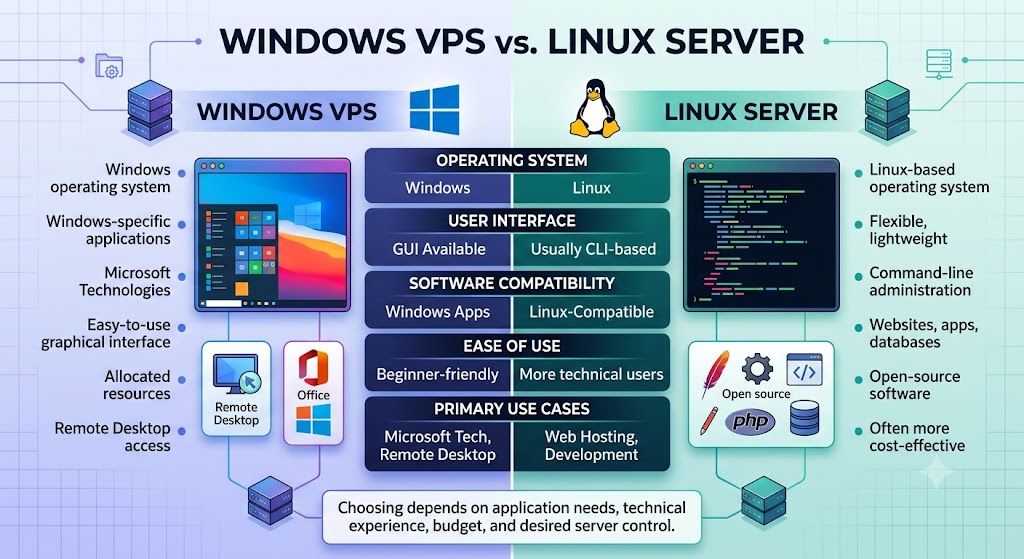
A Windows VPS runs on the Windows operating system and is a good choice for users who need Windows-specific applications, remote desktop access, or compatibility with Microsoft technologies. It provides dedicated virtual resources, greater control, and an easy-to-use graphical interface.
A Linux server runs on a Linux-based operating system and is widely used for websites, web applications, databases, and development environments. Linux servers are generally flexible, lightweight, and popular among developers who prefer command-line administration and open-source software.
| Feature | Windows VPS | Linux Server |
|---|---|---|
| Operating System | Windows | Linux |
| Resource allocation | Allocated virtual resources | Allocated or dedicated resources |
| User interface | Graphical interface available | Usually command-line based |
| Administrative control | High | High |
| Customization | Flexible | Highly flexible |
| Software compatibility | Windows-based applications | Linux-compatible applications |
| Remote Desktop | Commonly supported | Usually accessed through SSH |
| Microsoft applications | Excellent compatibility | Limited compatibility |
| Web hosting | Suitable | Widely used |
| Ease of use | Beginner-friendly | More suitable for technical users |
| Cost | Generally higher | Often more cost-effective |
| Security | Strong with proper configuration | Strong with proper configuration |
Users who need Windows-specific software, Microsoft applications, or a graphical remote desktop environment may find a Windows VPS more suitable. On the other hand, users focused on web hosting, development, open-source applications, or cost efficiency may prefer a Linux server.
The right choice ultimately depends on the applications you need to run, your technical experience, budget, and level of server control required.
Windows VPS vs. Dedicated Server
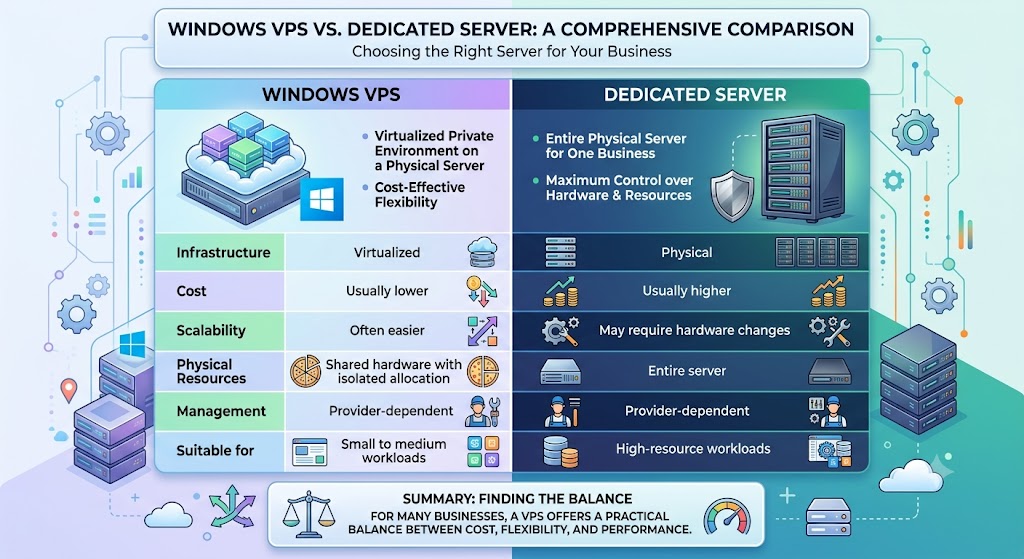
A dedicated server gives a business an entire physical server. It generally provides maximum control over the physical hardware and resources but can be more expensive.
A Windows VPS uses virtualization to provide a private virtual environment on a physical server.
| Feature | Windows VPS | Dedicated Server |
| Infrastructure | Virtualized | Physical |
| Cost | Usually lower | Usually higher |
| Scalability | Often easier | May require hardware changes |
| Physical resources | Shared hardware with isolated allocation | Entire server |
| Management | Provider-dependent | Provider-dependent |
| Suitable for | Small to medium workloads | High-resource workloads |
For many businesses, a VPS offers a practical balance between cost, flexibility, and performance.
How to Choose the Right Windows VPS Plan for Your Business
Choosing a suitable option will come down to tailoring the resources offered to your real-life needs rather than assumptions. You should evaluate your existing traffic and software, as well as the number of concurrent users or connections you expect. If you are dealing with databases and other resource-intensive applications, you should choose a solution that emphasizes RAM and storage speed. If your site is customer-oriented, you need to focus on CPU speed and network connectivity.
In addition, you will benefit from selecting an intermediate plan and scaling up later on as opposed to choosing a high-end solution right away. As the majority of service providers offer flexible upgrading options, you will be able to scale up and allocate additional resources as required without wasting money at the initial stage.
Final Thoughts
A Windows Virtual Private Server for business provides an optimal mix of affordable cost, control, and performance. It allows businesses to enjoy the benefits of a dedicated server in terms of exclusive access to resources and the known environment of Windows, as well as scalable solutions without having to deal with physical servers.
A Windows VPS can be used by any business for running websites, software, remote working environments, or database management systems. Through proper assessment of resource allocation capabilities, security options, scalability, and other considerations, you will be able to find a solution that meets your current requirements while ensuring room for growth.
Frequently Asked Questions
1. What is a Windows VPS for Business?
It refers to a virtual private server that uses the Windows operating system and is able to offer dedicated virtual resources, remote accessibility, and better control for hosting business-related websites, software programs, and databases, among others.
2. What are the best cheap Windows hosting providers for small businesses?
Affordable Windows hosting options for small businesses include MainVPS, AccuWeb Hosting, Hostwinds, and Kamatera. Compare their pricing, RAM, CPU, storage, Windows licensing, support, and scalability before choosing a plan.
3. Is a Windows VPS suitable for small businesses?
Yes. A Windows VPS can be suitable for small businesses that need more performance and control than shared hosting without the higher cost of a dedicated server.
4. Which providers offer the best Windows cloud hosting services?
Providers such as MainVPS, Microsoft Azure, AWS, and Google Cloud offer Windows cloud hosting services. The right choice depends on your budget, performance requirements, scalability, and support needs.
5. Can employees access a Windows VPS remotely?
Yes. Administrators and employees usually have the ability to access a Windows virtual private server remotely through the use of Remote Desktop Protocol (RDP).
6. Can a Windows VPS be upgraded as a business grows?
Sure. There are many VPS hosting providers that will let you upgrade your resources like CPU, RAM, disk space, and bandwidth when needed.
7. How secure is a Windows VPS for business?
Hosting on a Windows VPS is possible to make safe if the configuration is done right. Businesses need to use strong passwords, apply Windows updates, firewalls, access control, security on RDP connections, monitoring, and backups.
8. How much RAM does a business Windows VPS need?
It all depends on what type of applications, number of users, databases, and workloads will run on the server. Some applications might require less, while business applications and multiple users might require more RAM.
Suggestions:
- https://mainvps.net/blog/lifetime-web-hosting-2026/
- https://mainvps.net/blog/windows-reseller-web-hosting/
- https://mainvps.net/blog/best-wordpress-hosting-providers/
- https://mainvps.net/blog/linux-vps-hosting-india/
- https://mainvps.net/blog/low-cost-windows-vps-hosting-in-india/
- https://mainvps.net/blog/cheap-dedicated-server-hosting-providers/
- https://mainvps.net/blog/windows-server-guide-dde-dns-tls-1-2-uptime/
- https://mainvps.net/blog/dedicated-server-hosting-netherlands/
- https://mainvps.net/blog/dedicated-server-low-price/
- https://mainvps.net/blog/vps-hosting-in-los-angeles-us/
- https://mainvps.net/blog/dedicated-server-in-nedzone-nl/
- https://mainvps.net/blog/buy-linux-vps-hosting/
- https://mainvps.net/blog/managed-windows-vps-hosting/
- https://mainvps.net/blog/what-is-wmi-provider-host-complete-guide/
- https://mainvps.net/blog/cloud-hosting-vs-vps-2026/
- https://mainvps.net/blog/vps-hosting-for-ecommerce-guide/
- https://mainvps.net/blog/vps-hosting-for-saas-applications/
- https://mainvps.net/blog/vps-reseller-hosting-in-netherlands/
- https://mainvps.net/blog/dedicated-server-hosting-in-us/
- https://mainvps.net/blog/linux-reseller-hosting/
- https://mainvps.net/blog/dedicated-server-with-nvme-us/
- https://mainvps.net/blog/dedicated-server-with-root-access-us/
- https://mainvps.net/blog/dedicated-server-with-cpanel-us/
- https://mainvps.net/blog/litespeed-vps-hosting-in-netherlands/
- https://mainvps.net/blog/cheap-windows-vps-hosting/