In the modern digital era, where everything happens at a tremendous pace, web speed and performance cannot be an option but are imperative. If you are managing a blog or an eCommerce business or even a SaaS application, then it is essential for you to choose the right type of hosting services for yourself. The combination of one such effective type of hosting service is Nginx VPS hosting.
The reason why this is considered an excellent combination is because of the flexibility of a virtual private server and the performance capabilities offered by Nginx.
What is Nginx VPS Hosting?
Nginx VPS hosting is a kind of web hosting that lets your website be hosted on an environment that is powered by Nginx, the Nginx web server.
- VPS (Virtual Private Server): A virtualized server that has dedicated resources, such as RAM, CPU, and storage.
- Nginx is an extremely lightweight and high-performance server, known for handling huge amounts of traffic effectively.
Contrary to the traditional shared hosting model, VPS ensures that your resources will not be shared with other users, which gives you more control, security, and performance.
In contrast to traditional web servers like Apache HTTP Server, Nginx stands out because it is an innovative, high-performance server that is designed to meet the demands of modern-day online customers. Its advanced design and features make it a preferred choice for developers, startups, and large companies alike.
1. High Performance and Concurrency Handling
Nginx utilizes an asynchronous, event-driven structure that lets it handle thousands or millions of concurrent connections with ease. In contrast to Apache, which starts an entirely new thread or process with each call, Nginx handles multiple requests within one thread.
This is the result:
- Speedier request processing
- Better handling of spikes in traffic
- Stability of servers improved under the stress of a heavy load
2. Faster Load Times and Optimized Content Delivery
Speed is among the main benefits of Nginx. It has been specifically designed to deliver static media such as images, CSS, JavaScript, and videos with lightning-fast speed.
Furthermore, Nginx supports:
- Advanced caching mechanisms
- Gzip compression
- The HTTP/2 protocol and the HTTP/3 protocol
These features greatly decrease page load times, which improves the user experience as well as the Core Web Vitals.
3. Low Resource Consumption
Nginx is extremely light compared to conventional servers. It utilizes:
- Minimal RAM
- Lower use of CPU
- Effective connection handling
This makes it ideal to use in VPS environments where optimization of resources directly affects performance and costs.
4. Reverse Proxy and Load Balancing Capabilities
Nginx isn’t just an internet server; it is an effective reverse proxy, load balancer, and even a load diverter. It could:
- Split inbound traffic across several backend servers
- Cache responses to decrease the load on servers.
- Provide a gateway for APIs and microservices
This increases the reliability, uptime, and scalability of the applications you run.
5. Better Handling of High Traffic
Nginx excels in situations where traffic fluctuates or is constantly high. If you have a popular blog, online store, or even a SaaS service, Nginx ensures smooth performance without crashing.
Key Features of Nginx VPS Hosting
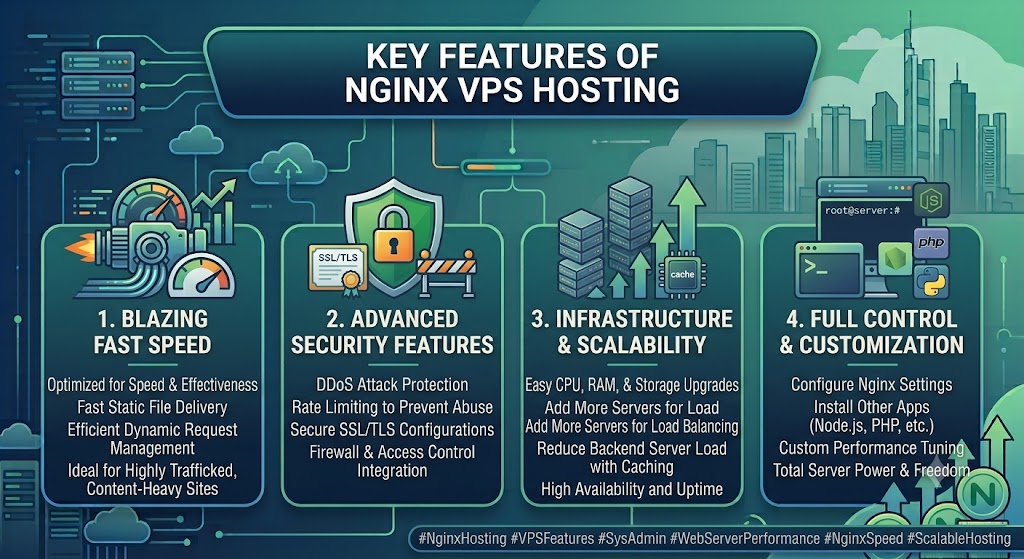
1. Blazing Fast Speed
Nginx is designed for speed and effectiveness. Its ability to deliver static files fast and manage dynamic requests efficiently is ideal for:
- Websites that are highly trafficked
- Content-heavy platforms
- Applications that are focused on performance
2. Advanced Security Features
Security is a major advantage of Nginx hosting. Combined with VPS isolation, it provides the following:
- Protection against DDoS attacks
- Rate limiting to prevent abuse
- Secure SSL/TLS configurations
- Firewall and access control integration
These features ensure your data and applications remain protected.
3. Easy Scalability
As your website expands, it allows you to easily scale:
- Upgrade your CPU, RAM, and storage
- Set up more servers for the load balancer
- Increase traffic without causing downtime
This is why it is ideal for startups and growing businesses.
4. Full Root Access and Customization
By using VPS hosting, you have total power of your servers. This lets you:
- Configure Nginx settings to your liking
- Install other applications (Node.js, PHP, Python and so on.)
- Improve performance based on the needs of your application
5. Built-in Load Balancing
Nginx can distribute traffic across multiple servers, ensuring the following:
- No single server gets overloaded
- High availability and uptime
- Seamless user experience
6. Caching for Performance Optimization
Nginx has powerful caching mechanisms, which:
- Reduce server load at the back end.
- Increase response time
- Improve overall speed of the website
Benefits of Using Nginx VPS Hosting
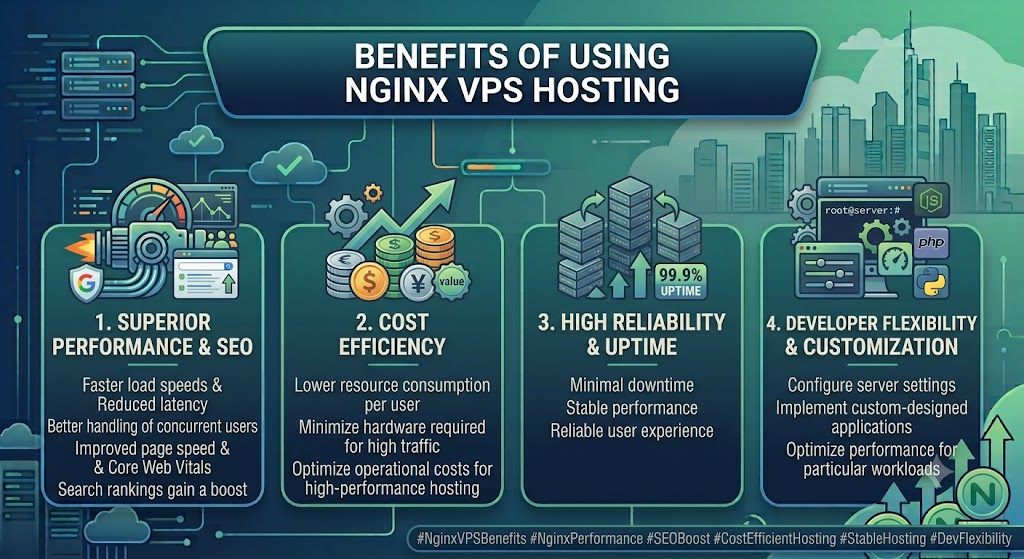
1. Improved Website Performance
Websites hosted on Nginx VPS benefit from:
- Faster load speeds
- Reduced latency
- Better handling of concurrent users
This directly improves user engagement and reduces bounce rates.
2. Better SEO Rankings
Search engines such as Google prefer websites that load quickly. With Nginx:
- Improved page speed
- The Core Web Vitals scores rise
- Search rankings gain a boost
3. Cost Efficiency
Search engines such as Google prefer websites that load quickly. With Nginx:
- Improved page speed
- The Core Web Vitals scores rise
- Search rankings gain a boost
4. Flexibility and Customization
You are in complete control of:
- Configure server settings
- Implement custom-designed applications
- Optimize performance for particular workloads
This flexibility is vital for companies and developers who have specific needs.
5. High Reliability and Uptime
Through load balancing and effective resource management, Nginx ensures:
- Minimal downtime
- Stable performance
- Reliable user experience
Use Cases of Nginx VPS Hosting
It can be flexible and is suitable for a broad array of uses:
High-Traffic Blogs and Websites
Great for blogs and websites with high traffic levels.
eCommerce Platforms
It ensures speedy page loading and a smooth checkout experience, essential to conversions.
SaaS Applications
Manages multiple users and API requests quickly. It is ideal for SaaS platforms.
Media Streaming Websites
Video and media content is delivered fast and without buffering.
API Hosting and Backend Services
Nginx serves as a reverse proxy that connects to APIs, ensuring fast, safe data processing.
Mobile and Web Applications
Provides backend infrastructure support for mobile apps as well as modern web-based applications.
Nginx vs Apache: Quick Comparison
| Feature | Nginx | Apache |
|---|---|---|
| Architecture | Event-driven | Process-driven |
| Performance | High, especially under heavy traffic | Moderate, depends on workload |
| Resource Usage | Low memory and CPU usage | Higher resource consumption |
| Static Content | Excellent performance | Good performance |
| Flexibility | Moderate | High (supports .htaccess and many modules) |
How to Set Up Nginx on a VPS
Setting up Nginx on a VPS is straightforward and takes only a few minutes. Follow these steps to install and configure your web server.
Step 1: Choose a VPS Provider
Start by selecting a reliable VPS hosting provider that offers sufficient CPU, RAM, SSD/NVMe storage, and root access. Popular choices include DigitalOcean, AWS, Linode, Vultr, and other reputable VPS providers. Install a Linux distribution such as Ubuntu 22.04 LTS for the best compatibility.
Step 2: Connect to Your Server
Use SSH to connect to your VPS from your local computer.
ssh root@your_server_ipReplace your_server_ip with the public IP address of your VPS. Enter your password or use your SSH key when prompted.
Step 3: Update the System
Before installing any software, update your server packages.
sudo apt update
sudo apt upgrade -y
Keeping your system updated helps improve security and ensures compatibility with the latest software.
Step 4: Install Nginx
On Ubuntu, install Nginx using the package manager.
sudo apt install nginx -yAfter installation, verify that Nginx is installed correctly.
nginx -vYou should see the installed Nginx version displayed in the terminal.
Step 5: Start and Enable Nginx
Start the Nginx service and configure it to launch automatically whenever the server boots.
sudo systemctl start nginx
sudo systemctl enable nginx
To confirm that Nginx is running:
sudo systemctl status nginxIf everything is working correctly, the service status will show active (running).
Step 6: Configure the Firewall
If your server uses UFW (Uncomplicated Firewall), allow HTTP and HTTPS traffic.
sudo ufw allow 'Nginx Full'Then verify the firewall rules.
sudo ufw statusThis allows visitors to access your website over both HTTP (port 80) and HTTPS (port 443).
Step 7: Verify the Installation
Open your web browser and enter your server’s public IP address:
http://your_server_ipIf the installation was successful, you’ll see the default “Welcome to Nginx!” page, confirming that your web server is up and running.
Best Practices for Nginx VPS Hosting
- Make sure that Gzip compression is enabled.
- Utilize caching to speed up load times.
- Optimize static and image files as well as images.
- Implement SSL by using HTTPS
- Update server software regularly.
SEO Tips for Nginx VPS Hosting
To maximize SEO benefits:
- Optimize page load speed
- Utilize CDN integration
- Make sure that you enable caching for your browser.
- Minimize CSS and JavaScript
- Check uptime and performance
Common Challenges
Although Nginx VPS hosting is powerful, it also has several problems:
- Needs technical expertise
- It can be difficult to configure for novices.
- Support is limited for .htaccess files
Conclusion
Nginx VPS Hosting offers a reliable solution for anyone who wants to get the best performance, scalability, and management of their web hosting environments. With its capacity to manage large traffic effectively and offer lightning-fast speeds, it is now a popular option for modern applications and websites.
If you’re looking to boost your site’s speed, SEO rankings, and user experience, moving to Nginx VPS hosting is a wise investment.
Frequently Asked Questions (FAQs)
1. What is Nginx VPS Hosting?
Nginx VPS hosting combines a virtual private server with the Nginx web server for faster, more reliable website performance.
2. Why choose Nginx over Apache?
Nginx uses fewer resources and handles high traffic more efficiently than Apache.
3. Is Nginx VPS Hosting good for WordPress?
Yes, it delivers faster loading speeds and better performance for WordPress websites.
4. Can I host multiple websites on one VPS?
Yes, Nginx supports hosting multiple websites using server blocks (virtual hosts).
5. Is Nginx VPS Hosting secure?
Yes, it supports SSL/TLS, firewall integration, and security features like rate limiting.
6. Can I upgrade my Nginx VPS later?
Yes, you can easily scale CPU, RAM, and storage as your website grows.
7. Does Nginx improve SEO?
Yes, faster page speeds help improve Core Web Vitals and search engine rankings.
8. Is Nginx VPS hosting suitable for eCommerce?
Yes, it’s ideal for online stores because it handles high traffic and fast page loads.
9. Do I get full root access with an Nginx VPS?
Most VPS plans provide full root access for complete server control and customization.
10. Who should use Nginx VPS Hosting?
It’s perfect for developers, businesses, bloggers, eCommerce stores, and high-traffic websites.
Locations like USA, Saudi Arabia, Kuwait, United Arab Emirates, Qatar, United Kingdom, dutch Australia, India ( Mumbai, Delhi, Bengaluru, Hyderabad, Ahmedabad, Kolkata, Pune, Nagpur )
Suggestions:
- https://mainvps.net/blog/vps-hosting-for-saas-applications/
- https://mainvps.net/blog/linux-reseller-hosting/
- https://mainvps.net/blog/lifetime-web-hosting-2026/
- https://mainvps.net/blog/windows-reseller-web-hosting/
- https://mainvps.net/blog/best-wordpress-hosting-providers/
- https://mainvps.net/blog/linux-vps-hosting-india/
- https://mainvps.net/blog/low-cost-windows-vps-hosting-in-india/
- https://mainvps.net/blog/cheap-dedicated-server-hosting-providers/
- https://mainvps.net/blog/windows-server-guide-dde-dns-tls-1-2-uptime/
- https://mainvps.net/blog/dedicated-server-hosting-netherlands/
- https://mainvps.net/blog/dedicated-server-low-price/
- https://mainvps.net/blog/vps-hosting-in-los-angeles-us/
- https://mainvps.net/blog/dedicated-server-in-nedzone-nl/
- https://mainvps.net/blog/buy-linux-vps-hosting/
- https://mainvps.net/blog/managed-windows-vps-hosting/
- https://mainvps.net/blog/what-is-wmi-provider-host-complete-guide/
- https://mainvps.net/blog/cloud-hosting-vs-vps-2026/
- https://mainvps.net/blog/vps-hosting-for-ecommerce-guide/