In the current digital age, both individuals and businesses require hosting solutions that are efficient, flexible, and accessible from anywhere. Be it managing websites, running applications, or working remotely, traditional hosting solutions usually fail in terms of performance and control.
This is the point where a can be a game-changing option. It blends the versatility that comes with Windows virtual private server and the ease offered by Remote Desktop Protocol (RDP), providing users with a full remote desktop experience with dedicated resources.
It lets you run your server as if it were an individual computer anywhere across the globe. With the growing demand for cloud-based infrastructures, this hosting service is now the choice for businesses, developers, traders, and digital professionals.
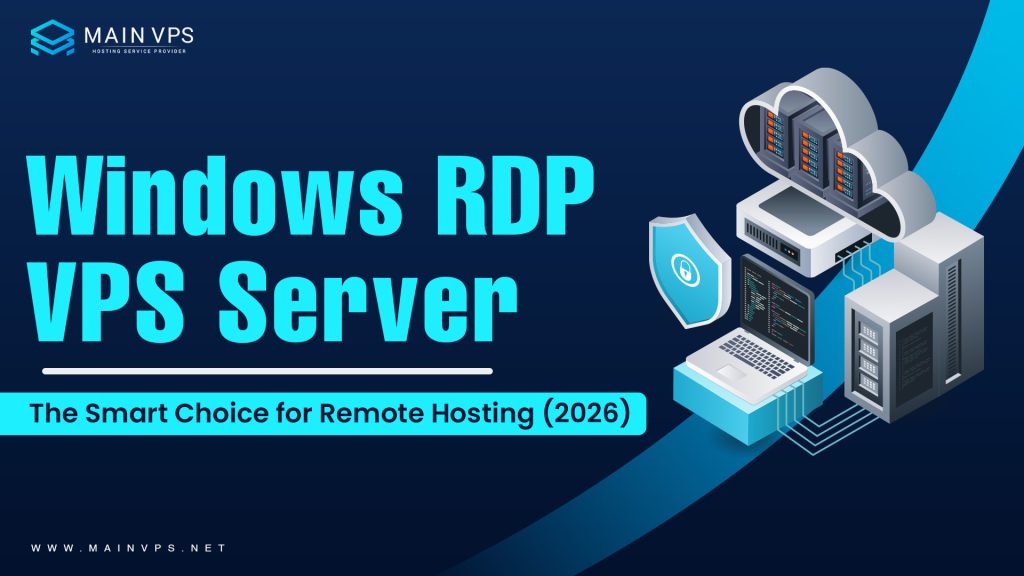
What is a Windows RDP VPS server?
It’s a virtual machine located in a physically-based server that runs the Windows operating system. It is accessible remotely through Remote Desktop Protocol (RDP).
In contrast to shared hosting, where several users have access to all the resources available, a VPS gives:
- Power for dedicated CPUs
- Allocated RAM
- Storage space in private
- Independent operating system
Through RDP accessibility, customers are able to connect to their VPS through a graphical interface. This makes it simple to download software, control their files, and complete tasks similar to an actual Windows computer.
How a Windows Remote Desktop Server Functions
The functions of a VPS are built on the technology of virtualization. An extremely powerful server can be divided into several virtual servers by using the hypervisor.
This configuration assures that your performance stays secure and unaffected by other people.
Key Features of Windows RDP with VPS Server
1. Full Administrative Control
- Access to all the root/administrator features of the server
- Install and configure any software or app
- Set up server settings that are customized to meet your preferences
- The ideal solution for business owners, developers, and advanced users
2. Dedicated Resources
- Allotted CPU, RAM, and storage for only your personal use
- No sharing of resources with other users.
- Consistent and stable performance
- It is suitable for sites with high traffic and other heavy-traffic applications
3. Remote Desktop Access
- Connect to your servers from any place in the world.
- Compatible with laptops, desktops, tablets, and mobile devices.
- Graphically-friendly interface that is easy to use (just like a Windows PC)
- Great Remote work and collaboration between teams
4. Windows Operating System
- User-friendly and familiar interface
- Supports all major Windows-based applications.
- Integration with Microsoft tools and services is easy. Microsoft Tools and Services
- No technical skills are needed for basic operations
5. High Scalability
- Upgrade RAM, CPU, and storage anytime
- No downtime during resource upgrades
- Flexible plans to match business growth
- Ideal for startups and expanding businesses
6. Enhanced Security
- An isolated virtual environment for better protection
- Advanced firewall and antivirus support
- Protection against unauthorized access
- Regular updates and security patches
7. High Uptime & Reliability
- 99.9% uptime guarantee (varies by provider)
- Continuous availability of applications and websites
- Minimal downtime and service interruptions
- Reliable performance for business operations
8. Cost-Effective Solution
- More affordable than dedicated servers
- Pay only for the resources you need
- High performance at a reasonable price
- Best for small to medium-sized businesses
Benefits of Using a Windows RDP with a VPS Server
It offers a powerful combination of performance, flexibility, and security, making it an ideal hosting solution for businesses, developers, and remote professionals. Unlike traditional hosting, it provides dedicated resources and remote accessibility, ensuring smooth and efficient operations for various use cases.
1. High Performance
This guarantees higher processing speed and superior performance than shared hosting plans. Your applications and websites perform without glitches due to dedicated CPU, RAM, and fast SSD or NVMe storage.
- Fast loading time and fast response time
- No shared resources with other users
- Best suited for high-traffic websites and demanding applications
- Consistent performance at all times
2. Flexibility
The primary benefit that comes to mind is flexibility. There are no restrictions on running any Windows applications, such as proprietary software. This ensures its applicability across various scenarios, including but not limited to hosting, development, automation, and trading.
- Install any software you want
- Works with custom software and business applications
- Flexible enough to cater to various industries
- Control your server environment
3. Remote Accessibility
Through the use of Remote Desktop VPS Windows connectivity, it is possible to operate your server from any part of the globe. You get an easy connection to your server regardless of what device you use.
- Desktop, laptop, or mobile connectivity
- 24/7 file and application availability
- Excellent for remote workers and freelancers
- Work-from-home capability
4. Enhanced Security
Security is a major benefit of VPS hosting. The isolated environment safeguards your data from other users, thereby minimizing the risk of cyber threats.
- Secure virtual environment
- Firewall and antivirus protection
- Protection from unauthorized access
- Regular updates and security patches
5. Cost-Effective Solution
It provides the benefits of a dedicated server at a much lower cost. It is a budget-friendly option for businesses looking for high performance without heavy investment.
- Affordable compared to dedicated servers
- Pay only for the resources you use
- No hardware or maintenance costs
- Ideal for startups and small businesses
6. Scalability for Growth
As your business grows, your hosting needs may increase. A VPS allows you to scale resources easily without downtime or disruptions.
- Upgrade RAM, CPU, and storage anytime
- No service interruption during scaling
- Handles traffic spikes efficiently
- Future-ready hosting solution
7. High Reliability & Uptime
It ensures high uptime and reliability, which is essential for business continuity. Your applications and websites remain accessible at all times.
- 99.9% uptime guarantee (varies by provider)
- Minimal downtime
- Stable and reliable infrastructure
- Supports business-critical operations
8. Easy to Use & Manage
Windows Virtual Private Server (VPS) hosting control panel makes it easy to manage your virtual server, even if you are new to server management.
- Friendly interface for users
- Easy installation of software
- Easy to configure and manage
- Good for both beginners and professionals
Windows RDP VPS Server vs Other Hosting Solutions
| Feature | Shared Hosting | VPS Hosting | Dedicated Server |
|---|---|---|---|
| Performance | Low | Medium-High | Very High |
| Cost | Low | Moderate | High |
| Control | Limited | Full | Full |
| Security | Low | High | Very High |
| Scalability | Limited | High | Moderate |
It provides the perfect balance of affordability and performance.
Use Cases of Windows RDP with VPS Server
1. Web Hosting
- Host high-performance websites with better speed and reliability
- Ensures high uptime and smooth user experience
- Supports dynamic websites, databases, and applications
- Ideal for businesses that require stable and scalable hosting environments
2. Forex Trading
- Run trading platforms and bots 24/7 without interruptions
- Reduces latency and improves trade execution speed
- Supports automated trading systems like Expert Advisors (EAs)
- Ensures continuous operation even when your local system is off
3. Remote Work
- Access your office desktop securely from anywhere in the world
- Enables seamless collaboration and remote team management
- Keeps files and applications centralized and secure
- Ideal for freelancers, businesses, and remote employees
4. Application Hosting
- Run business applications and software on a remote server
- Allows multiple users to access applications simultaneously
- Reduces dependency on local hardware resources
- Ensures better performance and centralized management
5. Gaming Servers
- Host multiplayer gaming environments with stable performance
- Reduces lag and improves gameplay experience
- Provides dedicated resources for better control and customization
- Suitable for running private or community game servers
6. Data Backup & Storage
- Ensures safe, scalable, and accessible storage solutions
- Securely store important files and business data
- Enables automated backups and easy recovery options
- Protects data from local system failures or hardware issues
Why Businesses Choose Windows VPS with RDP
VPS hosting is favored by businesses today due to the following reasons:
- High uptime and reliability
- Superior performance compared to shared hosting
- Data security
- Team collaboration from remote locations
- Lower costs associated with infrastructure
It helps companies achieve scalable growth without compromising on operational control.
How to Choose the Best Windows VPS with RDP
1. Performance
- Choose SSD or NVMe storage for faster read/write speeds and smooth operation
- Improves application loading time and overall system responsiveness
- Ensures better performance for hosting, trading, or remote work tasks
- Helps handle high workloads without lag or delays
2. RAM & CPU
- Select resources based on your workload requirements
- Minimum 2GB RAM for basic tasks, higher for heavy applications
- A multi-core CPU improves multitasking and processing speed
- Prevents system crashes, lag, and slow performance during peak usage
3. Server Location
- Pick a data center close to your target audience or users
- Reduces latency and improves connection speed
- Ensures faster data transfer and better user experience
- Important for websites, trading, and remote desktop performance
4. Uptime Guarantee
- Choose providers offering at least 99.9% uptime
- Ensures your VPS remains accessible at all times
- Minimizes downtime that can affect business or trading operations
- Reliable uptime improves trust and performance consistency
5. Customer Support
- 24/7 technical support is essential for quick issue resolution
- Look for live chat, ticket, and phone support options
- Fast response time helps avoid long downtimes
- Good support ensures smooth and hassle-free VPS management
6. Security Features
- A secure VPS environment ensures reliability and peace of mind
- Strong security is crucial for protecting your data and access
- Ensure the provider offers:
- DDoS protection to prevent attacks and downtime
- Firewall protection to block unauthorized access
- Regular backups for data safety and recovery
Performance Optimization Tips
To maximize the efficiency of your VPS:
- Keep your system updated
- Remove unnecessary applications
- Monitor resource usage
- Use caching techniques
- Optimize background processes
These steps help your IT deliver consistent performance.
Security Best Practices
Security should always be a top priority.
- Use strong and unique passwords
- Enable firewall protection
- Install antivirus software
- Keep regular backups
- Disable unused ports
Following these practices ensures it remains safe from cyber threats.
Pricing and Cost Considerations
The cost of a VPS depends on:
- RAM (2GB, 4GB, 8GB, etc.)
- CPU cores
- Storage type (SSD/NVMe)
- Bandwidth
- Server location
Pricing typically ranges from budget-friendly plans to high-performance enterprise solutions.
It offers excellent value by combining performance and affordability.
Common Mistakes to Avoid
Avoid these common errors:
- Choosing low resources for heavy workloads
- Ignoring security updates
- Not taking backups
- Overloading the server
- Selecting unreliable hosting providers
Future of Windows RDP with VPS Server
With the advent of cloud computing and remote working, VPS hosting has become more critical than ever before.
Future developments will be characterized by:
- Compatibility with cloud systems
- Enhanced security features
- Increased speed using NVMe storage
- AI-driven resource management
and will remain essential in today’s IT landscape.
Conclusion
It can be said to be among the most dependable and efficient solutions for hosting. This is because this hosting server offers the right combination of performance, reliability, and safety to make your hosting experience worthwhile.
If you are working in business, website creation, or remote management, this will provide you with all the required services that are necessary to compete with others in the digital marketplace.
FAQs
1. What is a Windows RDP VPS server?
It is a virtual server that runs on a Windows operating system and can be accessed remotely. It allows users to control the server just like a personal computer from any location.
2. How is a virtual private server different from shared hosting?
A virtual private server provides dedicated resources like CPU and RAM for better performance. In shared hosting, resources are distributed among multiple users, which can affect speed and reliability.
3. Who should use this type of hosting solution?
It is ideal for businesses, developers, traders, and remote teams who need reliable access. This setup is especially useful for running applications and managing tasks online.
4. Is it suitable for beginners?
Yes, the Windows VPS interface is simple and user-friendly, making it easy to manage. Even users with basic technical knowledge can operate it efficiently.
5. What are the key benefits of using this server?
It offers high performance, flexibility, scalability, and secure remote access. These features make it a strong alternative to traditional hosting solutions.
6. How secure is this hosting environment?
It provides an isolated environment that keeps your data protected from other users. Additional security tools like firewalls and antivirus software further enhance protection.
7. Can I upgrade resources as my needs grow?
Yes, you can easily scale resources like RAM, CPU, and storage when required. This ensures consistent performance even as your workload increases.
8. What are the common uses of this server?
It is widely used for web hosting, application hosting, remote work, trading, and data storage. It is also suitable for automation and development tasks.
9. Can I install custom software on it?
Yes, full administrative access allows you to install and configure any compatible software. This makes it highly flexible for different use cases.
10. Is it a cost-effective hosting option?
It provides strong performance and control at a lower cost compared to dedicated servers. This makes it a great choice for startups and growing businesses.
Suggestions:
- https://mainvps.net/blog/linux-reseller-hosting/
- https://mainvps.net/blog/lifetime-web-hosting-2026/
- https://mainvps.net/blog/windows-reseller-web-hosting/
- https://mainvps.net/blog/best-wordpress-hosting-providers/
- https://mainvps.net/blog/linux-vps-hosting-india/
- https://mainvps.net/blog/low-cost-windows-vps-hosting-in-india/
- https://mainvps.net/blog/cheap-dedicated-server-hosting-providers/
- https://mainvps.net/blog/windows-server-guide-dde-dns-tls-1-2-uptime/
- https://mainvps.net/blog/dedicated-server-hosting-netherlands/
- https://mainvps.net/blog/dedicated-server-low-price/
- https://mainvps.net/blog/vps-hosting-in-los-angeles-us/
- https://mainvps.net/blog/dedicated-server-in-nedzone-nl/
- https://mainvps.net/blog/buy-linux-vps-hosting/
- https://mainvps.net/blog/managed-windows-vps-hosting/
- https://mainvps.net/blog/what-is-wmi-provider-host-complete-guide/
- https://mainvps.net/blog/cloud-hosting-vs-vps-2026/
- https://mainvps.net/blog/vps-hosting-for-ecommerce-guide/
- https://mainvps.net/blog/vps-hosting-for-saas-applications/