
Small business owners sometimes experience the challenge of managing a dozen different items at the same time. This may include sales calls, emails, follow-up conversations, customer inquiries, or support requests.
Even the most popular CRMs, such as Salesforce and HubSpot, may be too much for small companies. These CRMs may be costly and complicated and contain various functions that the small company may never use, making it as if they purchased a Formula 1 car while they only require a dependable car for daily use.
It is here that the need for an ideal solution, such as SuiteCRM on VPS, arises. This is an open-source CRM software that offers small teams full control without charging any licensing fees to the users. This is an ideal add-on for the VPS, as it is customizable, flexible, and capable of scaling with the business.
Even more advantages come with the choice of SuiteCRM VPS hosting. Hosting SuiteCRM on a VPS means enjoying the benefits of fast functionality, high-level security, data confidentiality, and complete control over your CRM system. With a Virtual Private Server, your affordable CRM hosting will run on dedicated resources, unlike the case with shared hosting.
Why SuiteCRM Just Works for Small Businesses
SuiteCRM is frequently dubbed the people’s CRM, and for good reason. It provides all the tools small businesses require for effective customer relationship management without being forced into costly subscriptions and complicated agreements. Rather than shelling out for big names in the industry, what you’re really investing in is the functionality that actually helps to grow your business.
Here’s what makes SuiteCRM such a strong choice for small teams:
No License Fees
One of the greatest advantages of SuiteCRM hosting is that it is completely free. You can add as many users as your company requires without increasing your costs with each passing month. This is particularly beneficial for start-ups or growing companies that do not want their CRM systems to grow at a rate that exceeds their revenue.
Built to Fit Your Business
Each business operates uniquely, and SuiteCRM realizes this. Fields, modules, workflows, and dashboards can be tailored to suit the way your business operates. With SuiteCRM, leads, business deals, and support tickets; with SuiteCRM, the workflow adjusts to suit the way you work rather than the other way around.
Powerful Integrations
SuiteCRM integrates well with the other tools that you are already using. It can be integrated with email, payment gateways, VoIP phones, marketing tools, and calendars. This brings everything that you need into one place. This helps save time as well as minimize the efforts of the members of your sales team.
Full Data Ownership
So with SuiteCRM, your customer data is always within your control at all costs 100%! No third-party vendor is analyzing, selling, or hoarding your data. This is especially helpful for those who value their data privacy and security.
Easy for Small Teams to Manage
Despite being very powerful, SuiteCRM is actually quite easy to use. Your staff does not require weeks of training before they can start working with SuiteCRM, and basic administration does not require a whole team of people with IT backgrounds, especially with a VPS hosting service.
When it comes to small businesses, SuiteCRM is right on target in terms of hitting that sweet spot where you get enterprise-class functionalities without necessarily having an enterprise-class price tag. With SuiteCRM, you get flexibility, control, and scalability without necessarily being taxed for what they refer to at corporate levels as corporate software.
Why VPS Hosting Is the Secret Sauce
So why not just run SuiteCRM on shared hosting? Simple: it’s not built for serious business use. Shared hosting is like working from a tiny coworking desk, where you share space, bandwidth, and resources with dozens, or even hundreds, of strangers. When one of them ramps up the draw on power, everybody else bogs down, including you.
In fact, a VPS is more like one’s own private office. Equally affordable, the resources are fully dedicated to your business. That difference shows up immediately in performance, reliability, and control.
Here’s what VPS hosting really brings to the table:
Speed You Can Actually Feel
With a CPU and RAM on board, your SuiteCRM is working smoothly even with several team members logged on at once. Web pages load faster, reports are compiled quickly, and team members spend less time idling away and more on their tasks.
Easy Scalability as You Grow
Business expansion should never translate to tech troubles. With VPS hosting, you can scale up your resources within minutes: more RAM, more space, and more power without reinstalling VPS for SuiteCRM or having a new server altogether. Your CRM scales up with your business.
Stronger Security and Privacy
A VPS gives you an isolated environment; your CRM isn’t affected by the other users on that server. You have complete control over the firewalls, SSL certificates, access rules, and backups. This can be extremely important when you handle sensitive customer and business-internal data.
Full Freedom to Customize
Unlike shared hosting, a VPS doesn’t limit what you can install or configure. You’re free to optimize the server for SuiteCRM, install required extensions, set up cron jobs, integrate third-party tools, and fine-tune performance without a hosting provider telling you “that’s not allowed.”
Improved Reliability for Everyday Activities
When the CRM is the focal point of sales, services, and customer communication, any kind of downtime is simply not acceptable. With VPS hosting, you enjoy the benefits of less downtime and a more stable environment so that you and your staff can access SuiteCRM at any time you require it.
But here’s the catch: a VPS can actually cost less than most of the big-name CRM solutions out there, even for each member of your team. Rather than incurring monthly charges based on the number of team members, you have a powerful, self-managed CRM system that your whole organization can use.
In conclusion, a small business using SuiteCRM along with VPS Web Hosting will be able to enjoy enterprise-level performance, flexibility, and security without having to spend.
How to Deploy SuiteCRM on a VPS (Without Losing Your Weekend)
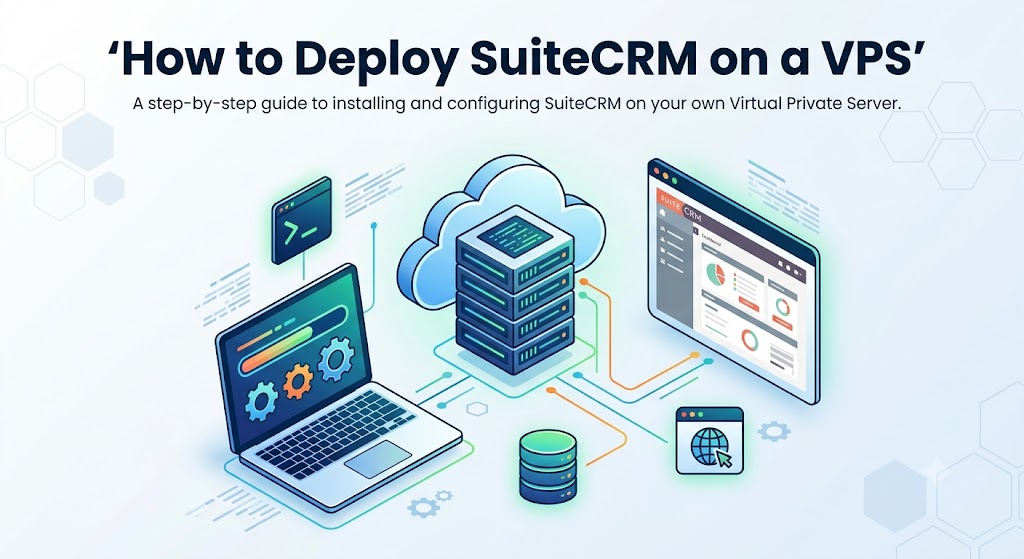
Deploying SuiteCRM on a VPS might sound intimidating, but it’s actually much simpler than it seems. You don’t need to be a server expert or spend an entire weekend buried in documentation. With a little preparation, you can have SuiteCRM up and running in just a few hours.
Step 1: Choose the Right VPS
Start with a reliable VPS provider. For most small businesses, a server with 2GB RAM, 1–2 CPU cores, and SSD storage is more than enough. Choose a Linux-based OS like Ubuntu, as it’s stable and widely supported for SuiteCRM.
Step 2: Prepare Your Server
Once your VPS is live, update the system and install the essentials:
This is standard setup work, and many providers offer preconfigured stacks to save time.
Step 3: Secure Your VPS Early
Before installing SuiteCRM, take a few minutes to lock things down:
- Enable a firewall
- Install an SSL certificate
- Set strong passwords and disable unnecessary access
These small steps go a long way in protecting your CRM data.
Step 4: Install SuiteCRM
Download the latest version of SuiteCRM and upload it to your server. Create a database, point your domain to the VPS, and launch the web-based installer. The setup wizard walks you through everything; no command-line wizardry required.
Step 5: Configure and Optimize
Once installed, take time to:
- Set up email integration
- Configure user roles and permissions
- Enable scheduled jobs (cron)
- Adjust basic performance settings
This ensures SuiteCRM runs smoothly from day one.
Step 6: Import Your Data
Already using a CRM or spreadsheets? Import your leads, contacts, and accounts directly into SuiteCRM. The built-in import tools make this straightforward and error-free.
Step 7: Backups and Monitoring
Set up automatic backups for both files and databases. Add basic monitoring so you’re alerted if something goes wrong. This keeps your CRM safe and stress-free.
Step 8: Go Live and Train Your Team
Once everything looks good, invite your team in. SuiteCRM is intuitive, so most users can start working immediately. A short walkthrough is usually all it takes.
Final Word
If your small-scale business needs a full-fledged CRM without huge monthly costs, running SuiteCRM on a virtual server is one of the smartest decisions you can make. You get enterprise-class CRM, the flexibility of open-source software, and the privacy and speed of private hosting at an affordable price.
Need help getting started? We can help. At MainVPS.net, we offer affordable VPS hosting for SuiteCRM and other critical business applications. Let’s get you up and running.
FAQs
1. How much VPS power do I need for SuiteCRM?
For small teams with up to 10 users, a VPS with 2GB RAM and 1–2 CPU cores works well. If you have more users, large databases, or heavy reporting, you can easily scale up later.
2. Can I move my existing SuiteCRM to a VPS?
Yes, absolutely. You just need to migrate your SuiteCRM files and database to the VPS and update the configuration. Most hosting providers or admins can do this quickly.
3. Is VPS hosting safe for running a CRM?
Yes. A VPS offers an isolated environment, which is much safer than shared hosting. With proper firewalls, SSL certificates, and regular updates, VPS hosting is very secure for CRM data.
4. Do I need a technical background to set up SuiteCRM on VPS?
Not necessarily. Many step-by-step guides are available, and some VPS providers offer managed services or one-click installations. You can also hire a professional for the initial setup.
5. Can I run other applications alongside SuiteCRM on the same VPS?
Yes. You can host other tools like email services, internal dashboards, or websites on the same VPS Just make sure your server has enough resources to handle the load.
6. How many users can SuiteCRM support on a VPS?
That depends on your VPS resources. A basic VPS can handle small teams easily, while a more powerful VPS can support dozens or even hundreds of users with proper optimization.
7. What operating system is best for SuiteCRM VPS hosting?
Most users prefer Linux distributions like Ubuntu or CentOS because they’re stable, secure, and well-supported for SuiteCRM deployments.
8. Do I need regular backups for SuiteCRM on VPS?
Yes, backups are essential. You should set up automated daily or weekly backups for both your database and files to protect against data loss.
9. Can I access SuiteCRM remotely on a VPS?
Yes. Since SuiteCRM is web-based, your team can securely access it from anywhere using a browser. Just make sure SSL is enabled for safe connections.
10. Is SuiteCRM on VPS cheaper than cloud CRMs?
In most cases, yes. A single VPS can cost less per month than the per-user fees charged by many commercial CRM platforms, especially as your team grows.
Suggestions:
- https://mainvps.net/blog/lifetime-web-hosting-2026/
- https://mainvps.net/blog/windows-reseller-web-hosting/
- https://mainvps.net/blog/best-wordpress-hosting-providers/
- https://mainvps.net/blog/linux-vps-hosting-india/
- https://mainvps.net/blog/low-cost-windows-vps-hosting-in-india/
- https://mainvps.net/blog/cheap-dedicated-server-hosting-providers/
- https://mainvps.net/blog/windows-server-guide-dde-dns-tls-1-2-uptime/
- https://mainvps.net/blog/dedicated-server-hosting-netherlands/
- https://mainvps.net/blog/dedicated-server-low-price/
- https://mainvps.net/blog/vps-hosting-in-los-angeles-us/
- https://mainvps.net/blog/dedicated-server-in-nedzone-nl/
- https://mainvps.net/blog/buy-linux-vps-hosting/
- https://mainvps.net/blog/managed-windows-vps-hosting/
- https://mainvps.net/blog/what-is-wmi-provider-host-complete-guide/
- https://mainvps.net/blog/cloud-hosting-vs-vps-2026/
- https://mainvps.net/blog/vps-hosting-for-ecommerce-guide/
- https://mainvps.net/blog/vps-hosting-for-saas-applications/
- https://mainvps.net/blog/vps-reseller-hosting-in-netherlands/
- https://mainvps.net/blog/dedicated-server-hosting-in-us/
- https://mainvps.net/blog/linux-reseller-hosting/