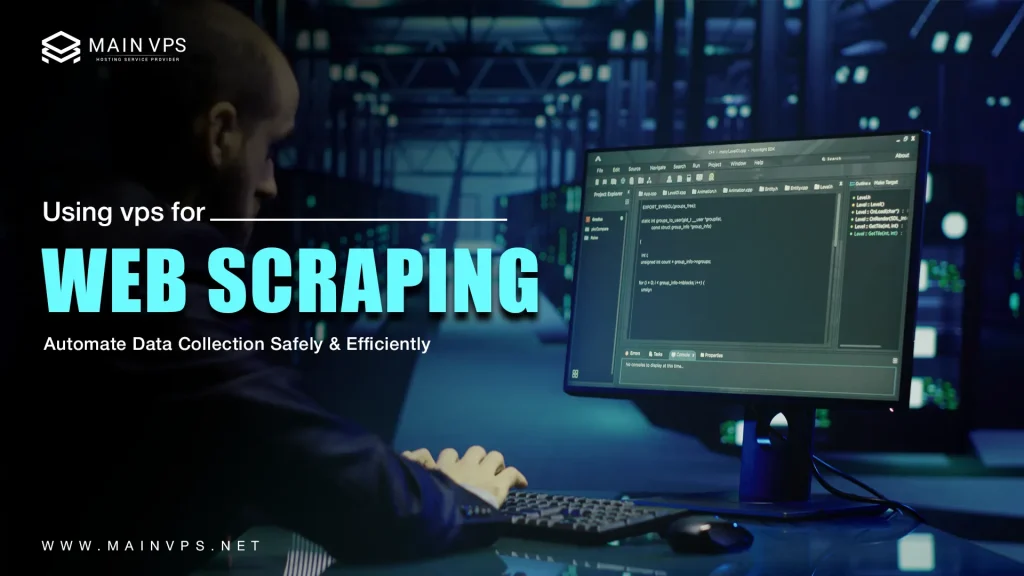
A VPS for Web Scraping is a safe, reliable, and scalable environment ideal for web scraping, particularly for large-scale data scraping without slowing down your personal computer or risking IP bans. Unlike shared hosting or personal computers, a VPS offers exclusive resources, complete root access, and customizable settings that enable you to continuously run web scraping bots, automation scripts, and scheduled crawlers.
With the proper setup, a VPS for Web Scraping enables you to easily set up frameworks like Python Scrapy, Selenium, Puppeteer, or Playwright to automate data scraping 24/7. Since the VPS runs independently from your personal computer, your processes will remain running even when your computer is turned off. This makes it highly ideal for market research, price monitoring, SEO data scraping, lead generation, competitor analysis, and other automation projects.
To begin, select a VPS with adequate CPU, RAM, and bandwidth depending on your web scraping activity levels. Install a minimal Linux distro such as Ubuntu Server or Debian, update system packages, and harden SSH access using key authentication rather than passwords. Configuring a firewall, fail2ban, and periodic system updates will ensure your server remains safe from unauthorized access.
Why a VPS Is the Ideal Platform for Web Scraping
Dedicated Performance & Resource Management
A VPS ensures dedicated CPU, RAM, and storage resources, which enables you to execute multiple scraping scripts concurrently without the performance degradation that occurs on shared hosting or local environments. This is particularly important when dealing with large volumes of requests, scheduled crawls, or data-intensive automation scenarios that demand consistent performance over extended periods of time.
Always-On, Reliable Environment
Using a VPS, your scraping applications will function independently of your home computer. They will continue to execute 24/7, even when your home computer is powered off or your internet connection is down. This is particularly important for applications such as continuous monitoring, price tracking, SEO data scraping, news aggregation, or competitor analysis.
Fully Customizable Tech Stack
You will have full root access to set up and manage tools as you see fit. Whether your tech stack involves Python with Scrapy, Selenium with ChromeDriver, Node.js with Puppeteer, Playwright for automation, or containerized environments with Docker, a VPS allows you to create and manage a customized web scraping ecosystem.
IP & Proxy Management
A VPS allows you to easily set up proxy rotation systems, VPN tunnels, or IP configurations to split traffic and lower the chances of IP blocking. You can set up request limiting, random headers, and geographic IP targeting, which is useful for large-scale and location-based web scraping projects.
Security Isolation & Risk Mitigation
Using a VPS for running your scrapers keeps potentially malicious scripts isolated from your main machines. When dealing with new or unreliable websites, this isolation is useful for shielding your local machine from malware, unexpected crashes, or resource exhaustion. You can set up firewalls, fail2ban, SSH key authentication, and automated updates to keep your environment safe.
Scalability for Expanding Projects
As your data requirements grow, you can easily scale your VPS resources or set up multiple VPS instances for distributed web scraping. Load balancing, task queues (such as Redis or RabbitMQ), and containerization enable you to scale your operations without having to rebuild your infrastructure from the ground up.
Automation & Workflow Integration
With cron jobs, CI/CD pipelines, or workflow automation software, you can automate scraping jobs, run scripts automatically, and update them effortlessly. When combined with monitoring software like Netdata or Prometheus, you have complete insight into performance, availability, and error logging.
Cost Efficiency Compared to Dedicated Servers
With a VPS, you get all the benefits of a dedicated server, control, stability, and customization, but at a significantly lower cost. This is perfect for developers, marketers, startups, and data analysts who want high-quality scraping infrastructure without the hefty price tag of enterprise solutions.
Common Use Cases of VPS-Based Scraping
Price Tracking & Competitive Pricing Analysis
Companies employ VPS-based scrapers to track the prices of various products on different e-commerce sites. The scripts can be programmed to extract pricing information on a daily or hourly basis. The information is used by companies to modify their dynamic pricing models and make swift decisions based on market trends.
Market Research & Consumer Insights
A VPS enables the extraction of data 24/7 from online forums, communities, product review sites, and industry portals. Companies and researchers can extract customer feedback, sentiment analysis, trending discussions, and market requirements. The data is used for product development, brand analysis, and competitive analysis.
SEO Monitoring & SERP Analysis
Digital marketing professionals use VPS scrapers to monitor the ranking of specific keywords, featured snippets, competitor content, and changes to the search engine result page (SERP) over time. The automated process of scraping can be used to gather information from different regions and devices, allowing digital marketing professionals to analyze SEO performance, find new keywords, and monitor ranking changes quickly.
Large-Scale Data Aggregation Projects
Developers, startups, and researchers use VPS hosting to create data sets for analytics, machine learning, and business intelligence. These projects include gathering weather data, sports results, cryptocurrency prices, financial data, news feeds, or government data portals. The VPS hosting environment runs automated processes to continuously gather and update the data sets.
Lead Generation & Business Prospecting
Scrapers on a VPS can be used to harvest publicly available business listings, contacts, or industry directories that help with sales prospecting. Automation ensures that lead databases are always updated, saving time on manual research.
Content Monitoring & News Tracking
Media research teams and analysts employ scraping software to monitor news sites, blogs, and press releases. With automation, they can stay on top of market trends and news, ensuring a quicker response to market developments.
Academic Research & Data Science Experiments
Academic institutions and individual researchers employ VPS-based scraping to harvest large datasets necessary for statistical modeling or AI development. The VPS provides an always-on environment for long-running crawls, large-scale data processing, and dataset organization that doesn’t drain local computer resources.
Setting Up Your VPS for Web Scraping
A. Selecting the Right VPS Specs
| Task Complexity | RAM | CPU | Storage |
|---|---|---|---|
| Lightweight Scraping | 2–4 GB | 1–2 cores | 20–40 GB SSD |
| Medium-Scale Scraping | 4–8 GB | 2–4 cores | 50–100 GB SSD |
| Browser-Based/Bulk Jobs | 8–16 GB | 4+ cores | 100+ GB NVMe |
B. Environment Setup
- Install essential tools:
bash

sudo apt update
sudo apt install python3-pip python3-venv build-essential
- Create a virtual environment:
bash

python3 -m venv ~/scrape_venv
source ~/scrape_venv/bin/activate
pip install scrapy selenium requests beautifulsoup4
- Install browser tools if needed:
bash

sudo apt install chromium-chromedriver
pip install webdriver-manager
Running Your Scraper Safely & Reliably
- Use Rate Limiting: Avoid triggering anti-bot measures:
pythonDOWNLOAD_DELAY = 1 # 1 sec between requests - Rotate User-Agents and Proxies: Add these to mimic legitimate browsing.
- Employ Exponential Backoff: On retry, wait longer each time to reduce server stress.
- Respect robots.txt and Legal Boundaries: Politely follow the target site’s scraping policy.
- Container Isolation: Run scraping jobs in Docker containers to compartmentalize runtime, dependencies, and data.
Working with Proxies & IP Tactics
- Use rotating proxy pools for larger-scale scraping to avoid detection.
- Geo-targeted scraping is possible by choosing VPS locations—especially useful for your SEO or market realm.
- IP whitelisting can be used to access private APIs or dashboards securely.
Monitor VPS Health & Performance
- System monitoring: Use
htop,top, or installglances. - Log tracking: Log start time, end time, response duration, and errors for every scraping run.
- Alerts: Set up lightweight notifications (SMTP or Slack webhook) when jobs fail or CPU/RAM spikes.
Scaling & Scheduling Job
- Cron scheduling example:
bash0 2 * * * /home/user/scrape_venv/bin/python /home/user/scraper/main.py >> ~/scrape.log 2>&1 - Use multiple VPS or containers for parallelization—divide targets by region or domain group.
- Orchestrate using SSH or orchestration tools like Fabric, Ansible, or Kubernetes for larger pipelines.
Final Thoughts
The ability to run your VPS for Web Scraping provides you with the flexibility, control, and reliability required to scrape data efficiently without having to depend on your own computer system. Having the ability to utilize the resources as you see fit, along with having root access and being able to work online 24/7, you are able to develop efficient web scraping processes that can run continuously, whether it is for tracking prices, monitoring search engine rankings, or extracting large datasets for analysis. An optimized VPS setup will not only provide you with better performance but also ensure that your automation tasks are consistent in the long run. At the same time, it is also important to ensure that you are maintaining responsible and efficient operations, and this is where the implementation of proxy rotation, request throttling, and robust error handling becomes important in preventing your web scraping processes from overloading the target websites and also in minimizing the risks of getting blocked. Utilizing containerized environments such as Docker will also help you to keep your projects organized, while monitoring tools will enable you to quickly identify any resource spikes or failures before they affect performance.
Frequently Asked Questions (FAQs)
Q1: Can the IP of a VPS be banned while web scraping?
Yes, it can. However, using rotating proxies, simulating delays, and sending proper headers can greatly minimize the risk of IP banning.
Q2: Is web scraping on a VPS legal?
It is if you scrape the web properly. Always check the terms of service and the robots.txt file of the website you plan to scrape, and never scrape private or sensitive information without permission.
Q3: Can I use multiple web scraping projects on a single VPS?
Of course. Many web developers use multiple web scrapers on a single VPS by utilizing Docker or virtual environments to keep all the tools and dependencies separate and organized.
Q4: What are the best VPS specs for web scraping?
It depends on the project. For small projects, 1-2 vCPUs and 2GB of RAM should be sufficient. However, for large-scale web scraping, more powerful CPUs, more RAM, and NVMe storage are usually required.
Q5: How do I ensure that my VPS does not get overwhelmed?
You can use tools like htop or Netdata to monitor system resource usage and avoid overwhelming your VPS by limiting the number of concurrent threads for web scraping and performing tasks during off-peak hours.
Q6: Do I need Linux or Windows for a scraping VPS?
Linux distributions such as Ubuntu or Debian are generally preferred over Windows due to their lightweight, stable, and supported nature by most web scraping frameworks and automation tools.
Q7: How can I automate my scraping tasks on a VPS for Web Scraping?
You can automate your scripts on a VPS for Web Scraping using cron jobs, workflow managers, or automation tools so your data scraping tasks run automatically without manual intervention.
Q8: What security measures should I follow before executing scrapers on a VPS for Web Scraping?
On a VPS for Web Scraping, you should disable password-based SSH login, enable a firewall, install fail2ban, keep your system updated regularly, and use containers to isolate projects and reduce security risks.
Q9: How do I safely store and back up my scraped data from a VPS for Web Scraping?
When using a VPS for Web Scraping, store your collected data in cloud storage platforms like Amazon S3, Google Cloud Storage, or remote databases to ensure it remains safe even if your VPS crashes or resets.
Q10: Can a VPS scale up with my scraping requirements?
Yes, one of the biggest advantages of a VPS is scalability. You can upgrade resources anytime or distribute workloads across multiple VPS instances to efficiently handle larger data volumes and traffic.