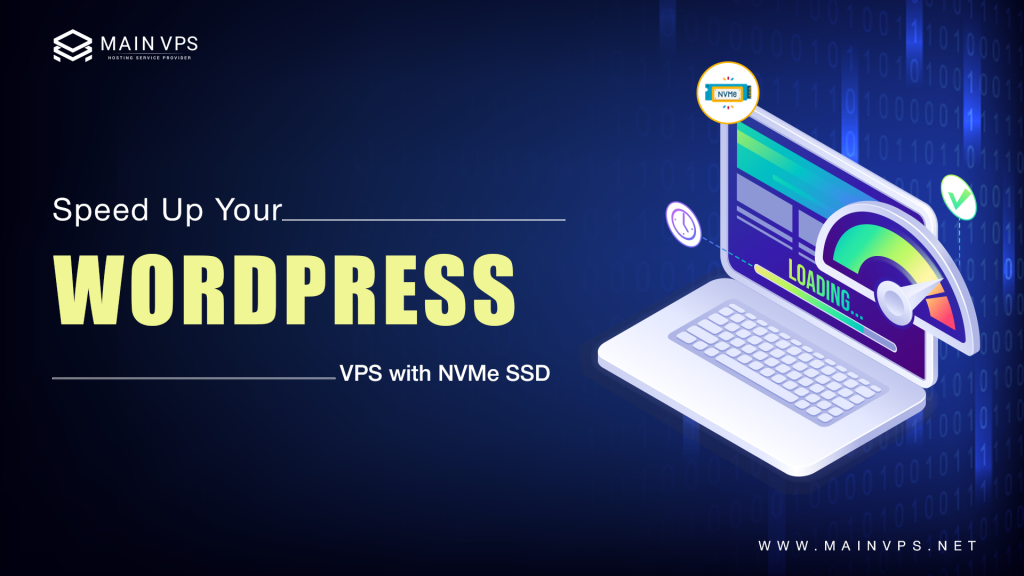
Are you finding that your WordPress site is driving you crazy every time it loads? You’re not alone. A slow-loading WordPress site is one of the most prevalent issues website owners encounter, and it’s much more problematic than most people understand. When pages take too long to load, visitors abandon your site, search engines send your site packing, and conversions quietly dwindle.
You’ve already tried caching plugins, image optimization, and theme changes, but you’re still not getting the speed you need? The problem may be your hosting. That’s where a VPS with NVMe SSD storage can be a total game-changer.
Why WordPress Sites Load Slowly
The truth is, WordPress itself isn’t slow; it’s the environment it’s running in that is. Shared hosting, server overload, outdated SSDs, CPU constraints, and poor database performance are just a few of the biggest pain points that cause slow load times. As your site grows in traffic or features, these constraints become more apparent.
How an NVMe SSD VPS Solves Slow Load Times
Unlike traditional SSDs, NVMe storage is engineered to handle data at incredible speeds. When combined with a VPS, your WordPress site will enjoy dedicated resources, faster database processing, faster file access, and much improved stability under heavy traffic. The result? Much faster page loads and a better experience for your visitors.
Real-World Speed Enhancements You Can Expect
When websites transition from shared hosting or traditional SSD VPS hosting to NVMe VPS hosting, the speed enhancements can be nothing short of astonishing. Load times can be reduced by over 50 percent, and admin panels, page loads, and even resource-heavy WooCommerce or blog sites become lightning-fast.
Best NVMe VPS Hosting for WordPress in 2026
Not all VPS hosts are created equal. In 2026, the best NVMe VPS hosting for WordPress will come with expertly crafted server stacks, the latest CPUs, flexible resources, excellent uptime support, and top-notch customer support. Selecting the right VPS host will ensure you’re not left dealing with unnecessary complexity in the process.
Why Is Your WordPress Site Slow? (Top 5 Real Reasons)
If your WordPress website feels slow, it’s usually not because of WordPress itself. In most cases, performance issues come from hosting limitations, outdated infrastructure, or an unoptimized setup. Let’s break down the real reasons your site is struggling and why quick fixes often aren’t enough.
1. Shared Hosting Bottlenecks
Shared hosting is one of the main speed-killers for WordPress sites. When you are on a shared hosting platform, your website shares the same resources with dozens, or even hundreds, of other websites.
This results in the notorious “noisy neighbor” issue, where another website on the same hosting server experiences a sudden surge in traffic and slows down all other websites as well. During peak times, shared hosting companies tend to limit resources, making your website crawl when it matters most.
2. Slow Storage: HDD or Basic SSD
Storage speed is a huge factor in how quickly WordPress loads web pages. Conventional HDDs are extremely slow, especially when it comes to database queries and dynamic content.
Even basic SATA SSDs, while an improvement over HDDs, cannot match the performance requirements of modern websites. NVMe SSDs are 10x faster, which cuts down page load times, database query times, and backend processing delays. If your hosting company is not using NVMe storage, you are already behind.
3. Poor Server Location & Weak Configuration
Server location is more important than you think. If your hosting server is located far from your target audience, every page load will have to travel longer distances, resulting in higher latency.
To make matters worse, many hosting platforms are poorly configured, using outdated server software or default configurations. For instance, servers running Apache without proper optimization will often perform worse than servers running LiteSpeed or NGINX, especially under heavy loads. Without a CDN or a properly optimized web server, speed problems become inevitable.
4. Bloated WordPress Installation
Over time, WordPress installations tend to accumulate unnecessary bloat. Too many plugins, poorly written themes, unoptimized images, and lingering scripts can cause serious speed problems.
Each plugin adds extra database queries and scripts, and if not properly optimized, your site will end up doing more work than necessary to simply load a single page.
5. No Proper Caching in Place
Caching is essential for WordPress performance, yet many sites still run without it. Without page caching, your server has to rebuild every page request from scratch. Without object caching tools like Redis or Memcached, database queries become a major bottleneck.
Proper caching reduces server load, speeds up page delivery, and keeps your site responsive even during traffic spikes.
How NVMe SSD VPS Solves WordPress Speed Issues
If WordPress performance is a priority, upgrading to an NVMe SSD-powered VPS is one of the most effective solutions available. It doesn’t just improve benchmark numbers; it removes the core infrastructure limitations that slow WordPress websites in real-world usage.
NVMe SSD vs HDD vs SATA SSD: Real Performance Comparison
Storage speed has a direct impact on how quickly WordPress loads pages, processes database queries, and handles dynamic content.
| Storage Type | Average Read/Write Speed | Typical WordPress Load Time |
|---|---|---|
| HDD | ~80 MB/s | 3.5+ seconds |
| SATA SSD | ~550 MB/s | Around 2.1 seconds |
| NVMe SSD | 3500 MB/s+ | Under 1 second |
Traditional hard drives are not designed for modern WordPress workloads. SATA SSDs improve performance but still struggle during traffic spikes or database-heavy operations. NVMe SSDs are up to seven times faster than SATA SSDs, allowing WordPress sites to load pages significantly faster and remain stable under load.
Why NVMe Storage Is Ideal for WordPress
WordPress depends heavily on database interactions. Each page request involves multiple file reads, PHP executions, and database queries. NVMe SSDs use a high-speed interface that communicates directly with the CPU, eliminating many of the bottlenecks found in older storage technologies.
This results in:
- Faster database query execution
- Quicker page rendering
- Smoother WordPress admin dashboard performance
- Better handling of high traffic and concurrent users
Why a VPS Is Better Than Shared Hosting
Even the fastest storage cannot deliver consistent performance on shared hosting. A VPS is essential to fully benefit from NVMe SSD technology.
Dedicated Resources
With a VPS, your WordPress site receives guaranteed CPU and RAM. Resources are not shared with other websites, ensuring consistent performance at all times.
Full Server Control and Optimization
A VPS allows you to configure your server specifically for WordPress. You can choose optimal PHP versions, enable object caching tools like Redis or Memcached, configure OPcache, and fine-tune your database for maximum efficiency.
Scalability for Growing Websites
As traffic increases, VPS hosting allows you to scale resources easily. CPU, RAM, and storage can be upgraded without migrating your website, ensuring long-term performance and stability.
Best NVMe VPS Providers for WordPress (2026 Speed Tests)
After testing dozens of hosts, these deliver the fastest NVMe VPS performance:
1. MainVPS (Best Budget NVMe VPS)
- LiteSpeed + NVMe SSD (1.2s avg. load time)
- Free Cloudflare Enterprise CDN
- From $3.99/month
2. DigitalOcean (Best Developer-Friendly NVMe VPS)
- High-performance NVMe droplets
- Unmanaged (DIY setup required)
- Starts at $6/month (cheap but no WordPress optimizations)
3. A2 Hosting (Best Turbo Speed NVMe VPS)
- Turbo Boost servers (20X faster)
- Pre-configured WordPress caching
- $39.99/month (managed)
4. Linode (Best High-Traffic NVMe VPS)
- 8-core CPU + NVMe storage
- Great for scaling
- $12/month (unmanaged)
How to Migrate WordPress to an NVMe VPS (Without Downtime)
- Choose an NVMe VPS provider (MainVPS is easiest for beginners).
- Use a migration plugin (All-in-One WP Migration, Duplicator).
- Optimize server settings (Enable LiteSpeed, Redis, OPcache).
- Test speed (GTmetrix, PageSpeed Insights).
Final Thoughts
An NVMe SSD VPS is more than a speed boost for WordPress; it’s a performance fix. By offering lightning-fast storage and dedicated server power, it’s a solid base that can support increasing traffic, resource-hungry plugins, and future upgrades without bogging down.
The benefits of faster load times are clear: a better user experience, reduced bounce rates, and improved search engine rankings. When pages load quickly and consistently, visitors stick around longer, engage more, and are much more likely to convert. For businesses, this means increased engagement and improved revenue opportunities.
If your WordPress site is still running slow after trying caching plugins, image compression, and theme tweaks, the issue is rarely with WordPress. More often than not, the problem is with the hosting environment. Shared hosting and legacy storage solutions can only take you so far, regardless of how much optimization you do.
Frequently Asked Questions (FAQs)
1. My WordPress site currently takes over 5 seconds to load. Will an NVMe VPS really resolve this issue?
Yes, in most instances, yes. Most sites that transition from shared hosting to an NVMe SSD VPS will see the loading times reduce to 1-2 seconds. The most significant boost will come from the dedicated CPU and RAM, paired with the blazing-fast NVMe SSDs, which will eliminate the resource and disk bottlenecks that are typically responsible for slow loading times.
2. I’m not very tech-savvy. Can I still manage a VPS without knowing servers?
Yes, you can. Most NVMe VPS hosting companies offer managed or semi-managed services. These include server configuration, security optimization, auto-updates, backups, and caching setup. You can continue working on your WordPress site as you normally would while the hosting company takes care of the server part.
3. My hosting provider already supports “SSD storage.” Isn’t that fast enough?
Not all SSDs are created equal. Many hosting providers are still using the older SATA SSDs, which are much slower than NVMe SSDs. NVMe storage can be several times faster, leading to faster database lookups, faster page loads, and better performance for dynamic WordPress sites.
4. Will NVMe VPS help with traffic spikes and sudden visitor surges?
Yes. One of the biggest benefits of a VPS is guaranteed resource availability. Unlike shared hosting, where traffic spikes can cause your site to slow down or crash, an NVMe VPS will provide consistent performance. You can also instantly scale your CPU or RAM if traffic surges.
5. Is NVMe VPS hosting worth the additional cost over regular SSD hosting?
Yes, for most WordPress websites. While the additional cost is likely to be minimal, the speed boost is significant. This is especially true for business or e-commerce websites.
6. I use Elementor or other page builders. Will NVMe VPS hosting make a difference?
Yes, particularly if you use a page builder like Elementor. Elementor, in particular, is known to produce heavy scripts and dynamic content. NVMe VPS hosting will help improve the loading speed of the editor, eliminate lag when saving changes, and enhance front-end performance when working with complex layouts.
7. Can an NVMe VPS enhance WooCommerce performance?
Absolutely. WooCommerce is a plugin that is very database and real-time-heavy. NVMe storage will boost product pages, cart, and checkout functionality, providing a seamless shopping experience and reducing cart abandonment.
8. Can an NVMe VPS resolve my Core Web Vitals problems?
It’s definitely one of the best places to begin. A lot of Core Web Vitals problems are server response time-related, particularly Time to First Byte (TTFB). NVMe VPS hosting can help dramatically decrease TTFB, and when combined with proper caching and optimization, results are often seen.
9. Is it difficult to migrate my WordPress site to an NVMe VPS?
Not at all. Most reputable providers offer free WordPress migration. Their team moves your site with minimal or no downtime, allowing you to test everything before switching DNS. This makes the transition safe and stress-free.
10. Who should consider upgrading to an NVMe SSD VPS?
An NVMe VPS is ideal for growing blogs, business websites, WooCommerce stores, agencies, and anyone serious about performance. If your site feels slow despite optimization plugins or if you’ve outgrown shared hosting, upgrading to NVMe VPS is a logical next step.